
How to Use LLaDA-Image Online
Step-by-step: open the independent LLaDA-Image workspace, generate or edit, choose Turbo vs Base, and verify official GitHub sources.
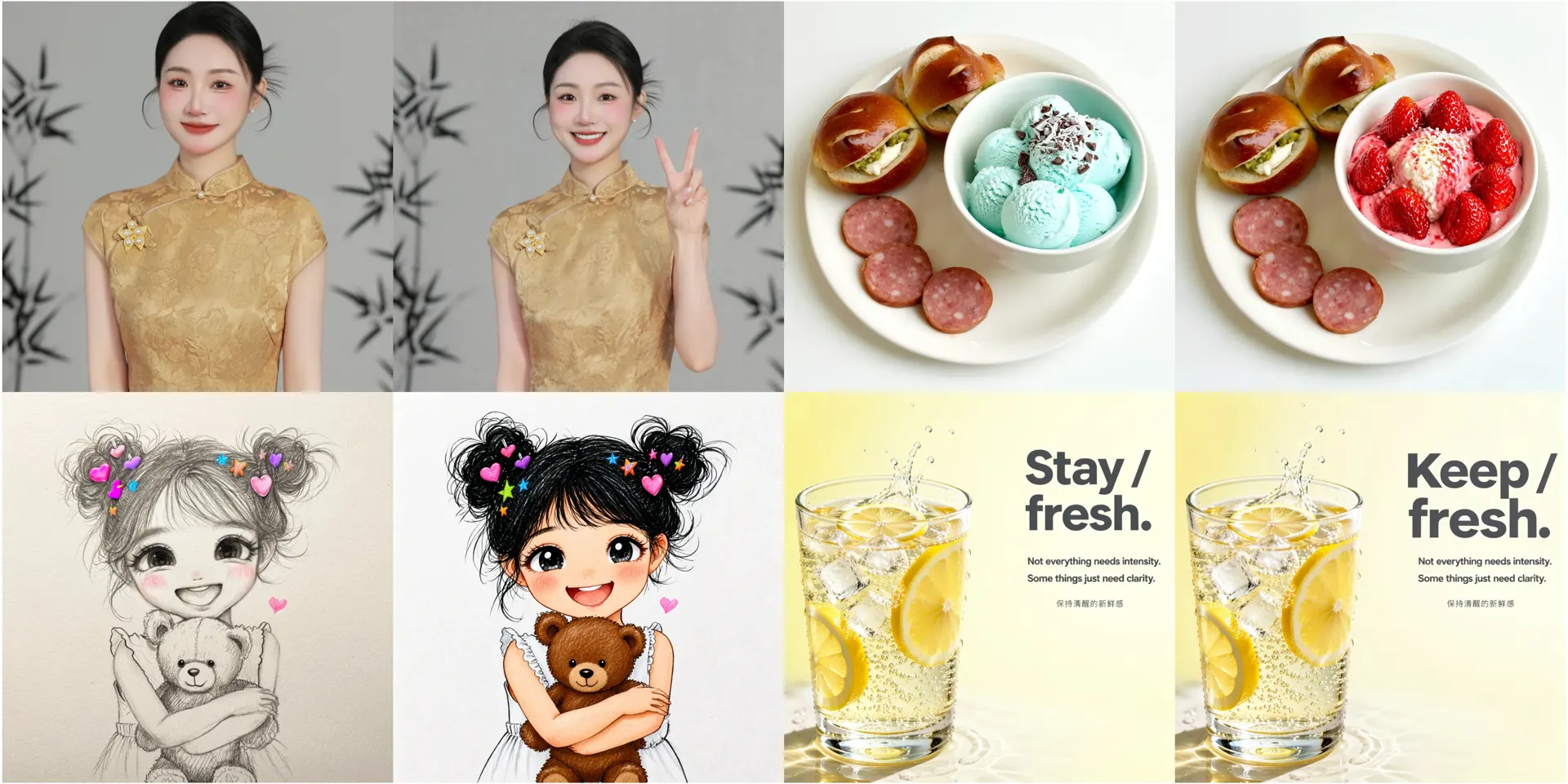
How to Use LLaDA-Image Online
This tutorial shows how to use LLaDA-Image through the independent browser workspace on this site. It is not an official inclusionAI manual. For sampling hyperparameters, follow the public repository.
Disclaimer: We provide online UI access and credit-based generation. Official code and weights remain on GitHub, Hugging Face, and ModelScope.
Before you start
- Decide whether you need generation (text only) or editing (reference image).
- Skim How to Use LLaDA-Image for the short product overview.
- Keep official GitHub open for Diffusers tips.
Step 1 — Open the workspace
Go to LLaDA-Image Online and click into the workspace. Confirm the model label: LLaDA-Image (Base-oriented) vs LLaDA-Image Turbo.
Step 2 — Generate from text
- Write a specific prompt: subject, setting, lighting, aspect ratio.
- If you need poster copy, quote exact Chinese/English strings.
- Generate once, then change one variable at a time.
Example starter:
Photoreal ceramic mug on a sunlit oak table, soft window light,
shallow depth of field, no watermark, product photography
More templates: LLaDA-Image prompts.
Step 3 — Edit with an instruction
- Upload a reference image.
- State what must stay (identity, logo, pose).
- State the single change (background, color, text).
Example:
Keep the same person and clothing. Change only the background
to a rainy Tokyo street at night. Preserve facial identity.
Dedicated page: LLaDA-Image Editor.
Step 4 — Choose Turbo when iterating
Use LLaDA-Image Turbo for faster drafts. Switch back to Base when you need richer detail. Full write-up: Turbo vs Base.
Step 5 — Credits and limits
Generation uses site credits. Compare plans on Pricing. Do not assume unlimited free inference.
Official citations
CTA
Open the workspace and run one generate + one edit pass today.