2 min readLLaDA-Image Workspace
LLaDA-Image Image Editing Tutorial
Upload a reference, write a precise instruction, and edit with LLaDA-Image online — including Turbo tips and official source links.
EditingTutorialImage-to-Image
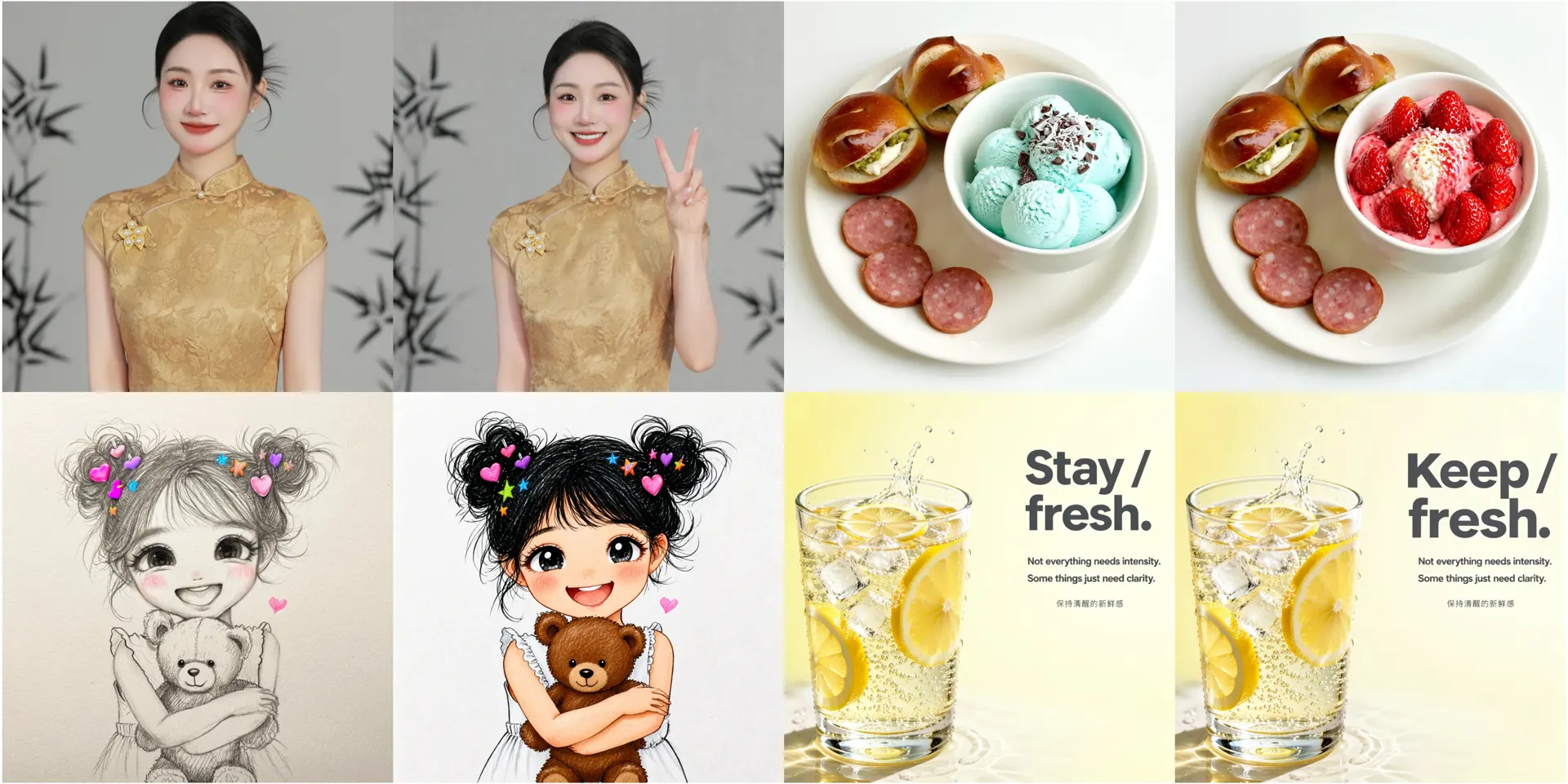
LLaDA-Image Image Editing Tutorial
Instruction-guided image editing is a core LLaDA-Image capability: keep subject fidelity while changing style, background, or layout text. This tutorial walks through the independent online editor path.
Not official: This site is a third-party workspace and is not affiliated with inclusionAI.
Mental model
Think in two sentences:
- Preserve: who/what must stay recognizable.
- Change: the single edit you want.
Ambiguous instructions (“make it better”) usually waste credits.
Workflow
1. Open the editor lane
Use LLaDA-Image Editor or the workspace upload control.
2. Prepare the reference
- Prefer a clear subject with readable edges.
- Avoid tiny faces if identity must survive.
- Follow public size guidance (editing paths often expect dimensions divisible by 32).
3. Write the instruction
Keep the product bottle and label text unchanged.
Replace the background with a soft beige studio sweep.
Add gentle contact shadow under the bottle.
4. Iterate with Turbo, finalize with Base
Draft on Turbo, then refine on Base when the direction is right. Comparison notes: Turbo vs Base.
5. Failures to learn from
- Changing too many attributes at once.
- Asking for new identity while saying “keep the same person.”
- Expecting perfect OCR-level text repair without quoting the desired string.